Twin Cities Software Symposium
March 2 - 4, 2012 - Minneapolis, MN
View the event details here ».
Matthew McCullough
Head of Training, GitHub
Matthew McCullough is an energetic 15 year veteran of enterprise software development, open source education, and co-founder of Ambient Ideas, LLC, a Denver consultancy. Matthew currently is VP of Training at GitHub.com, author of the Git Master Class series for O'Reilly, speaker at over 30 national and international conferences, author of three of the top 10 DZone RefCards, and President of the Denver Open Source Users Group. His current topics of research center around project automation: build tools (Gradle), distributed version control (Git, GitHub), Continuous Integration (Jenkins, Travis) and Quality Metrics (Sonar). Matthew resides in Denver, Colorado with his beautiful wife and two young daughters, who are active in nearly every outdoor activity Colorado has to offer.
Presentations
Adam Smith Builds an Application
Economics, psychology, game theory, and marketing; those fields of study imply a distinct lack of semicolons and curly braces. However, even the venerable Adam Smith, were he alive today, would recognize the applicability of those seemingly tangential components to the business we call software.
Many of us self-identify with the hard core branding of "geek" and "nerd," or the softer choices, "programmer" and "developer." However, we rarely hear mentioned "business person," "saleswoman," salesman," "inventor," "strategist," or "economist," yet they are equally, if not more accurate in the description of the talents of a software craftsperson. Though unstated, we, as developers, are expected to be skilled in each of those areas. Rarely in business are so many combined talents expected from an individual contributor.
Together, we'll harness the secrets that classical and 20th century research have uncovered from observing strategic interactive decision making through a large lens. Surprisingly, smart businesses and crafty developers are just now able to fully leverage these historical findings with the advent of commodity big-data processing, machine learning, evolutionary game theory, and a dash of intuition. All of these tactics can be neatly tied together via the occasionally-maligned threads of pop psychology and behavioral economics. Discover how to seat these newfound applications of knowledge in their well-deserved place at the table of computer science for better playing of the game that we call "programming."
Build Lifecycle Craftsmanship Tools
You've heard a bit about Git, Gradle, Jenkins, and Sonar, but are you putting them to use? Are you maximizing what they can offer in terms of standardized project models, faster incremental compiles, automated commit-triggered builds, and rapid source code analysis? In this intense presentation, live demonstrations will be given for all of the latest versions of the aforementioned tools and what they have to offer a highly proficient Java developer.
Don't struggle to get the build out, functioning, and analyzed. Develop, build, analyze and deploy smartly and efficiently with a Build Lifecycle Craftsmanship approach and tooling.
Sonar Code Metrics Workshop (Bring a Laptop)
You're serious about improving the quality of your code base, but with 10,000 lines of code, where do you start and how do you ensure the greatest ROI for the re-work your team members will perform?
Sonar is an open source tool that brings together the best of breed static and dynamic analysis of Java projects. The result is a unified view of problematic areas of your code on a time-line basis, allowing the team to attack the problems with the best ROI, and maintain a more watchful eye for positive and risky trends in the codebase in the future.
This workshop will get you up and running with Sonar on your laptop and analyzing the source code of a project in under 90 minutes.
Git Workshop (Bring A Laptop)
Git is a version control system you may have been hearing a bit about lately. But simply hearing more about it may not be enough to convince you of its value. Getting hands on experience is what really counts. In this workshop, you'll bring your Windows, Mac or Linux laptop and walk through downloading, installing, and using Git in a collaborative fashion.
The workshop style of this class will allow you to observe and discover the value of this new version control tool first hand. You'll be cloning, creating, commiting, and pushing repositories by the conclusion of this session.
Gradle Workshop (Bring a Laptop)
Gradle. Another build tool? Come on! But before you say that, take a look at the one you are already using.
Whether your current tool is Make, Rake, Ant, or Maven, Gradle has a lot to offer. It leverages a strong object model like Maven, but a mutable, not predetermined one. Gradle relies on a directed acyclic graph (DAG) lifecycle like Maven, but one that can be customized. Gradle offers imperative build scripting when you need it (like Ant), but declarative build approaches by default (like Maven). In short, Gradle believes that conventions are great -- as long as they are headed in the same direction you need to go. When you need to customize something in your build, your build tool should facilitate that with a smile, not a slap in the face. And customizations should be in a low-ceremony language like Groovy. Is all this too much to ask?
Gradle has received the attention of major open source efforts and has chalked up significant conversions by the Spring Integration, Hibernate, and Grails projects. What do these technology leaders see in this bold new build tool? They see not only a better way to build Java applications, but an extensive ecosystem of connecting to existing Ant and Maven build files while expanding the horizon of test, CI, and deployment automation in an easy manner. Join us for 90 minutes and let us take you on this same walk of discovery of the most innovative build tool you've ever seen.
Mac Developer Productivity Tips BOF
This is a BOF, which is an informal two-way chat on a focused topic.
This particular BOF is focused on the productivity of developers on the Mac.
Books
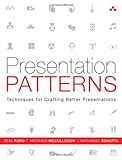
by Neal Ford, Matthew McCullough, and Nathaniel Schutta
-
Presentation Patterns is the first book on presentations that categorizes and organizes the building blocks (or patterns) that you’ll need to communicate effectively using presentation tools like Keynote and PowerPoint.
Patterns are like the lower-level steps found inside recipes; they are the techniques you must master to be considered a master chef or master presenter. You can use the patterns in this book to construct your own recipes for different contexts, such as business meetings, technical demonstrations, scientific expositions, and keynotes, just to name a few.
Although there are no such things as antirecipes, this book shows you lots of antipatterns—things you should avoid doing in presentations. Modern presentation tools often encourage ineffective presentation techniques, but this book shows you how to avoid them.
Each pattern is introduced with a memorable name, a definition, and a brief explanation of motivation. Readers learn where the pattern applies, the consequences of applying it, and how to apply it. The authors also identify critical antipatterns: clichés, fallacies, and design mistakes that cause presentations to disappoint. These problems are easy to avoid—once you know how.
Presentation Patterns will help you
- Plan what you’ll say, who you’ll say it to, how long you’ll talk, and where you’ll present
- Perfectly calibrate your presentation to your audience
- Use the storyteller’s “narrative arc” to full advantage
- Strengthen your credibility—and avoid mistakes that hurt it
- Hone your message before you ever touch presentation software
- Incorporate visuals that support your message instead of hindering it
- Create highly effective “infodecks” that work when you’re not able to deliver a talk in person
- Construct slides that really communicate and avoid “Ant Fonts,” “Floodmarks,” “Alienating Artifacts,” and other errors
- Master 13 powerful techniques for delivering your presentation with power, authority, and clarity
Whether you use this book as a handy reference or read it from start to finish, it will be a revelation: an entirely new language for systematically planning, creating, and delivering more powerful presentations. You’ll quickly find it indispensable—no matter what you’re presenting, who your audiences are, or what message you’re driving home.
-
Presentation Patterns is the first book on presentations that categorizes and organizes the building blocks (or patterns) that you’ll need to communicate effectively using presentation tools like Keynote and PowerPoint.
Patterns are like the lower-level steps found inside recipes; they are the techniques you must master to be considered a master chef or master presenter. You can use the patterns in this book to construct your own recipes for different contexts, such as business meetings, technical demonstrations, scientific expositions, and keynotes, just to name a few.
Although there are no such things as antirecipes, this book shows you lots of antipatterns—things you should avoid doing in presentations. Modern presentation tools often encourage ineffective presentation techniques, but this book shows you how to avoid them.
Each pattern is introduced with a memorable name, a definition, and a brief explanation of motivation. Readers learn where the pattern applies, the consequences of applying it, and how to apply it. The authors also identify critical antipatterns: clichés, fallacies, and design mistakes that cause presentations to disappoint. These problems are easy to avoid—once you know how.
Presentation Patterns will help you
- Plan what you’ll say, who you’ll say it to, how long you’ll talk, and where you’ll present
- Perfectly calibrate your presentation to your audience
- Use the storyteller’s “narrative arc” to full advantage
- Strengthen your credibility—and avoid mistakes that hurt it
- Hone your message before you ever touch presentation software
- Incorporate visuals that support your message instead of hindering it
- Create highly effective “infodecks” that work when you’re not able to deliver a talk in person
- Construct slides that really communicate and avoid “Ant Fonts,” “Floodmarks,” “Alienating Artifacts,” and other errors
- Master 13 powerful techniques for delivering your presentation with power, authority, and clarity
Whether you use this book as a handy reference or read it from start to finish, it will be a revelation: an entirely new language for systematically planning, creating, and delivering more powerful presentations. You’ll quickly find it indispensable—no matter what you’re presenting, who your audiences are, or what message you’re driving home.
-
by John Ferguson Smart
-
Streamline software development with Jenkins, the popular Java-based open source tool that has revolutionized the way teams think about Continuous Integration (CI). This complete guide shows you how to automate your build, integration, release, and deployment processes with Jenkins—and demonstrates how CI can save you time, money, and many headaches.
Ideal for developers, software architects, and project managers, Jenkins: The Definitive Guide is both a CI tutorial and a comprehensive Jenkins reference. Through its wealth of best practices and real-world tips, you'll discover how easy it is to set up a CI service with Jenkins.
- Learn how to install, configure, and secure your Jenkins server
- Organize and monitor general-purpose build jobs
- Integrate automated tests to verify builds, and set up code quality reporting
- Establish effective team notification strategies and techniques
- Configure build pipelines, parameterized jobs, matrix builds, and other advanced jobs
- Manage a farm of Jenkins servers to run distributed builds
- Implement automated deployment and continuous delivery
-
Streamline software development with Jenkins, the popular Java-based open source tool that has revolutionized the way teams think about Continuous Integration (CI). This complete guide shows you how to automate your build, integration, release, and deployment processes with Jenkins—and demonstrates how CI can save you time, money, and many headaches.
Ideal for developers, software architects, and project managers, Jenkins: The Definitive Guide is both a CI tutorial and a comprehensive Jenkins reference. Through its wealth of best practices and real-world tips, you'll discover how easy it is to set up a CI service with Jenkins.
- Learn how to install, configure, and secure your Jenkins server
- Organize and monitor general-purpose build jobs
- Integrate automated tests to verify builds, and set up code quality reporting
- Establish effective team notification strategies and techniques
- Configure build pipelines, parameterized jobs, matrix builds, and other advanced jobs
- Manage a farm of Jenkins servers to run distributed builds
- Implement automated deployment and continuous delivery
by Tim Berglund and Matthew McCullough
-
Build and test software written in Java and many other languages with Gradle, the open source project automation tool that’s getting a lot of attention. This concise introduction provides numerous code examples to help you explore Gradle, both as a build tool and as a complete solution for automating the compilation, test, and release process of simple and enterprise-level applications.
Discover how Gradle improves on the best ideas of Ant, Maven, and other build tools, with standards for developers who want them and lots of flexibility for those who prefer less structure.
- Use Gradle with Groovy, Clojure, Scala, and languages beyond the JVM, such as Flex and C
- Get started building a simple Java program using Gradle's command line tooling and a small build script
- Learn how to configure and construct tasks, Gradle's fundamental unit of build activity
- Take advantage of Gradle's integration with Ant
- Use Gradle to integrate with or transition from Maven, and to build software more cleanly
- Perform application unit and integration tests using JUnit, TestNG, Spock, and Geb
-
Build and test software written in Java and many other languages with Gradle, the open source project automation tool that’s getting a lot of attention. This concise introduction provides numerous code examples to help you explore Gradle, both as a build tool and as a complete solution for automating the compilation, test, and release process of simple and enterprise-level applications.
Discover how Gradle improves on the best ideas of Ant, Maven, and other build tools, with standards for developers who want them and lots of flexibility for those who prefer less structure.
- Use Gradle with Groovy, Clojure, Scala, and languages beyond the JVM, such as Flex and C
- Get started building a simple Java program using Gradle's command line tooling and a small build script
- Learn how to configure and construct tasks, Gradle's fundamental unit of build activity
- Take advantage of Gradle's integration with Ant
- Use Gradle to integrate with or transition from Maven, and to build software more cleanly
- Perform application unit and integration tests using JUnit, TestNG, Spock, and Geb